
The PowerTrac SP works by recording raw data and does not actually record or track equalize cycles or missed opportunities. When you run a Battery Report, the software determines when equalization (EQ) should occur based on parameters set by you and the actual data it has stored. The report works by comparing what should have happened to what actually happened. PowerTrac integrates seamlessly with battery monitoring systems and gives operators accurate insights.
PROGRAMMING EQ SETTINGS:
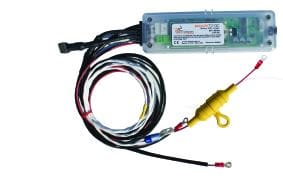
Start by finding Report Settings under the Data tab in the PowerTrac USB user software. In Report Settings, you define the Equalize Settings. When these parameters are met, the reporting software acknowledges an EQ. The parameters include:
- Days of the Week – allows you to program which day(s) of the week the EQ cycle will run
- Duration – allows you to program the desired minimum length of the charge cycle that will characterize a completed EQ
- Max Voltage (VPC) – allows you to set the battery voltage that must be met or exceeded
For example: Let’s say you have Sunday selected for an EQ at a duration of 4 hours and a VPC of 2.45. The PowerTrac data must show a charge cycle on Sunday longer than 4 hours and at a voltage greater than (or equal to) 2.45VPC to mark it as an EQ in the Battery Report. If no cycles meet these requirements, the system does not record an EQ. This makes it clear how battery monitoring systems play an important role in validating equalization cycles. Why does this matter? Proper equalization ensures balanced cells, prevents sulfation, and extends the overall lifespan of industrial batteries.